
Work Orders
Keep utility service orders, field crews, inventory, and job costing moving through one coordinated workflow from office to field.
Easily manage and deploy work orders
Office and mobile service order tools built for today’s utility
Coordinate service orders between office staff and field crews through connected work order management tools designed to improve visibility, communication, and day-to-day operational efficiency.
Office teams can:
- Create, assign, and manage utility service orders
- Track workflow activity and team productivity
- Allocate work to field personnel and crews
- Finalize completed work orders and maintain historical records
- Monitor job costing and operational expenses
Field personnel can:
- Access assigned service orders from mobile devices
- Update work order details directly from the field
- Receive and prioritize new assignments in real time
- Capture field data and meter location information
- Contact customers directly from the mobile application
- Access navigation and mapping tools while in the field

CONNECTED UNITED SYSTEMS APPLICATIONS

Utility Billing/CIS
Create and update work orders directly from customer accounts and generate work orders for meter testing, service issues, and operational activities.
Device Management
Track meters, endpoints, registers, and changeouts with integrated device management for utility assets, history, testing, and warranty records.
Inventory
Track materials, equipment, and inventory across utility work orders while improving visibility into stock availability, item locations, and job-related costs.
Improve service visibility
Coordinate work orders, crews, and field activity with greater clarity
Manage service orders, crew assignments, equipment tracking, and field activity from one centralized platform designed to improve visibility and coordination across your utility.
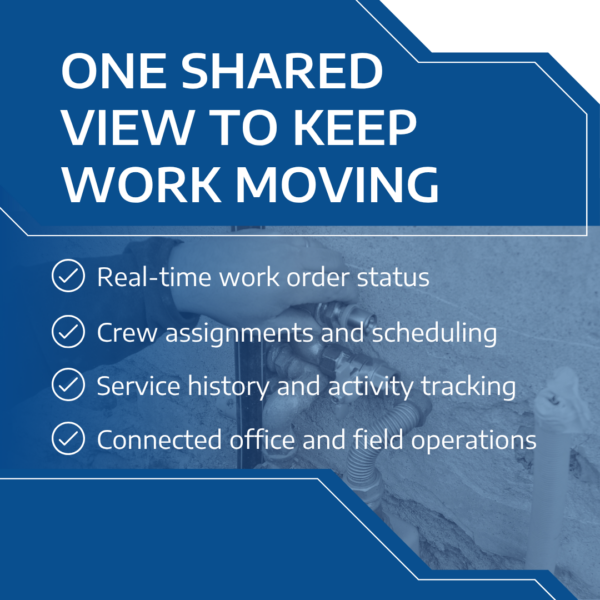
Create custom tasks and crew lists, prioritize work orders by status or timeframe, and track service activity across office and field operations from one central interface.
Reporting and tracking tools provide clear insight into work order status, service types, crew assignments, and scheduling activity, helping supervisors better manage workloads and priorities.
Improve productivity in the field
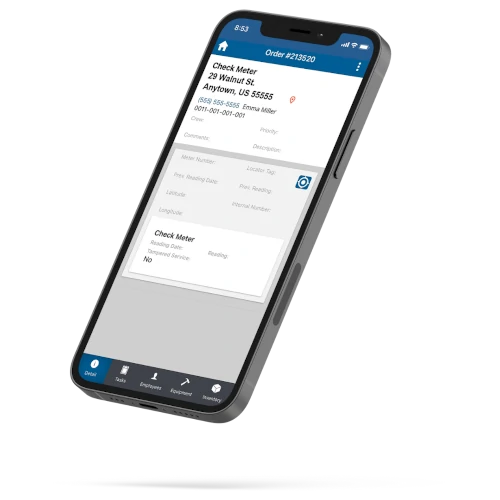
United Systems’ mobile field service tools give utility crews real-time access to work orders, customer information, mapping, and service activity directly from mobile devices.
Field personnel can:
- Review and update service orders from the field
- Record equipment usage and work activity
- Attach photos and capture field documentation
- Access customer and service location information
- Capture meter and valve location data
- Receive new assignments and workflow updates in real time
- Contact customers directly from mobile devices
- Access navigation and mapping tools while in the field
Additional capabilities include:
- Mapping and infrastructure tracking
- Crew location visibility
- Mobile access across major operating systems
- Improved coordination between office and field teams
- Reduced manual communication and duplicate entry

Configure utility service workflows
Adapt service orders, crew assignments, and workflow rules to match your utility’s operational processes and field service requirements.
- Add task-level instructions to guide complex service orders
- Create priority levels with visual status indicators
- Configure service order types for different utility workflows
- Assign work orders to crews based on responsibilities or specialties
- Manage employee specialties and assignment categories
- Control user access and application permissions for improved security
Features
Work Order Configuration
- Create and manage printable utility service orders
- Build task lists with step-by-step workflow instructions
- Configure service order statuses, priority levels, and workflow stages
- Create service order categories for different utility operations
- Control user access and application permissions for improved security
- Manage customer service orders and internal operational work requests
Utility Mapping & Asset Locations
- ArcGIS integration for utility mapping workflows
- Track work orders and crew locations through mapping tools
- Record meter and valve locations using GPS coordinates
Work Order Visibility
- Synchronize service order data between office and mobile field applications
- Track work order status and activity throughout each workflow stage
- Review service order details, account activity, and operational information from one screen
- Search customer accounts, devices, and service records using flexible data fields
- Reduce manual entry through mobile-friendly forms, menus, and workflow tools
Workforce Coordination & Dispatch
- Dispatch service orders to queues, employees, crews, or supervisory staff
- Distribute work orders across field personnel and operational teams
- Assign employees to multiple crews and service workflows
- Attach photos, documents, and work order notes to support field activity and service tracking
Service Order History
- Automatically generate service order numbers for operational tracking and recordkeeping
- Maintain account, device, and service history across utility workflows
- Load customer and account information directly from the utility billing and CIS platform to reduce duplicate entry

Ready to reduce friction across operations?
Coordinate billing, payments, customer service, metering, work orders, and operational workflows through utility-focused technology and support services. Talk with our team to learn how United Systems supports utilities through technology, operational services, metering, customer service, and workflow management.